Every Tesla you own.
One live dashboard.
WattLoft streams your car second by second — battery, charging, climate, location, the lot — keeps every drive, every charge and your battery's real health forever, and even dries the air conditioner after every drive. Create an account, connect your Tesla, and it's everywhere you are: web, iPhone, Mac, Apple Watch and Homey.
Free during early access · works with every Tesla · nothing to install
Sign in Download for Mac iPhone & Apple Watch


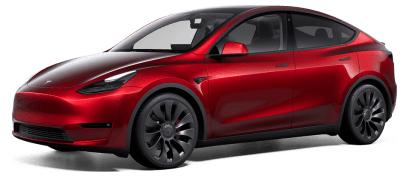
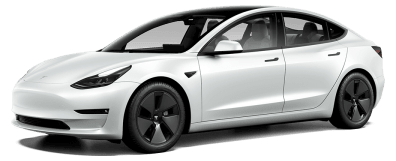
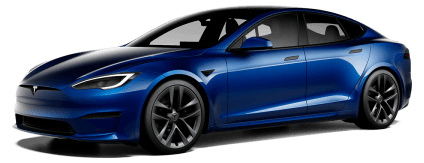
Every Tesla, every year — drawn from each car's real paint, wheels and trim.
Tesla's app shows you the moment. WattLoft keeps the rest.
The web dashboard at connect.wattloft.com — live cards for battery, health, charging, climate, tyres, the pack itself and the weather where the car is parked.

Live telemetry
The car streams straight to your dashboard — battery, temperatures, tyre pressures, location — second by second, over 150 fields deep.
Drives & charges
Every trip with its route on a map, every charging session with cost and energy — searchable, forever.
Stats that add up
Wh/km per drive, price per kWh per charge, charger efficiency, stationary drain, peaks and averages — with graphs of any field the car reports.
Battery health
Pack capacity measured from your actual charging, tracked over time — not a guess from rated range.
Anti Mold new
After every drive with the A/C on, the fan dries the evaporator with the compressor off — goodbye musty smell. Automatic, or one tap.
Automations
Rules that watch while you don't: precondition at 7:30, stop charging at a price cap, lock up when everyone leaves.
Alerts
A door left open, a charge interrupted, the car gone offline — a notification the moment it matters.
Controls, everywhere
Lock, climate, charging, Sentry and the rest from the web, the Mac, your wrist, a widget, or a long-press on the app icon. Risky ones ask first.
Fleet map
Every car on one map with heading, speed and trail — and directions to wherever it is parked.
Accounts & sharing
Give the family their own logins, share a read-only live page with anyone, and keep admin things admin-only.
Live driving
The drive, as it happens.
The moment the car moves, a driving strip rides above the dashboard. Tap it and the whole screen becomes an instrument.
- Pack-side power — volts × amps read from the battery itself, not an estimate.
- Per-motor split on dual- and tri-motor cars; regen in green, drain in amber.
- Brake flash, peak drain and peak regen for the trip, energy used and Wh/km as you go.
- Drive sounds if you want them, the screen kept awake, and a landscape gauge cluster on iPhone.
- The same strip on your Mac and — in sync — on your wrist.


One strip, three screens — Mac, iPhone and Apple Watch move together.
Fleet map
Every car, on one map.
Where each Tesla is right now — and where it's been since you looked.
- All your cars at once, each with a heading arrow and its battery on the label.
- Speed when moving, trails as they go, and a callout to open directions.
- Road or satellite, your own location and a compass, Fit all in one tap.
- Filter to the cars you care about — the choice sticks.


Charging
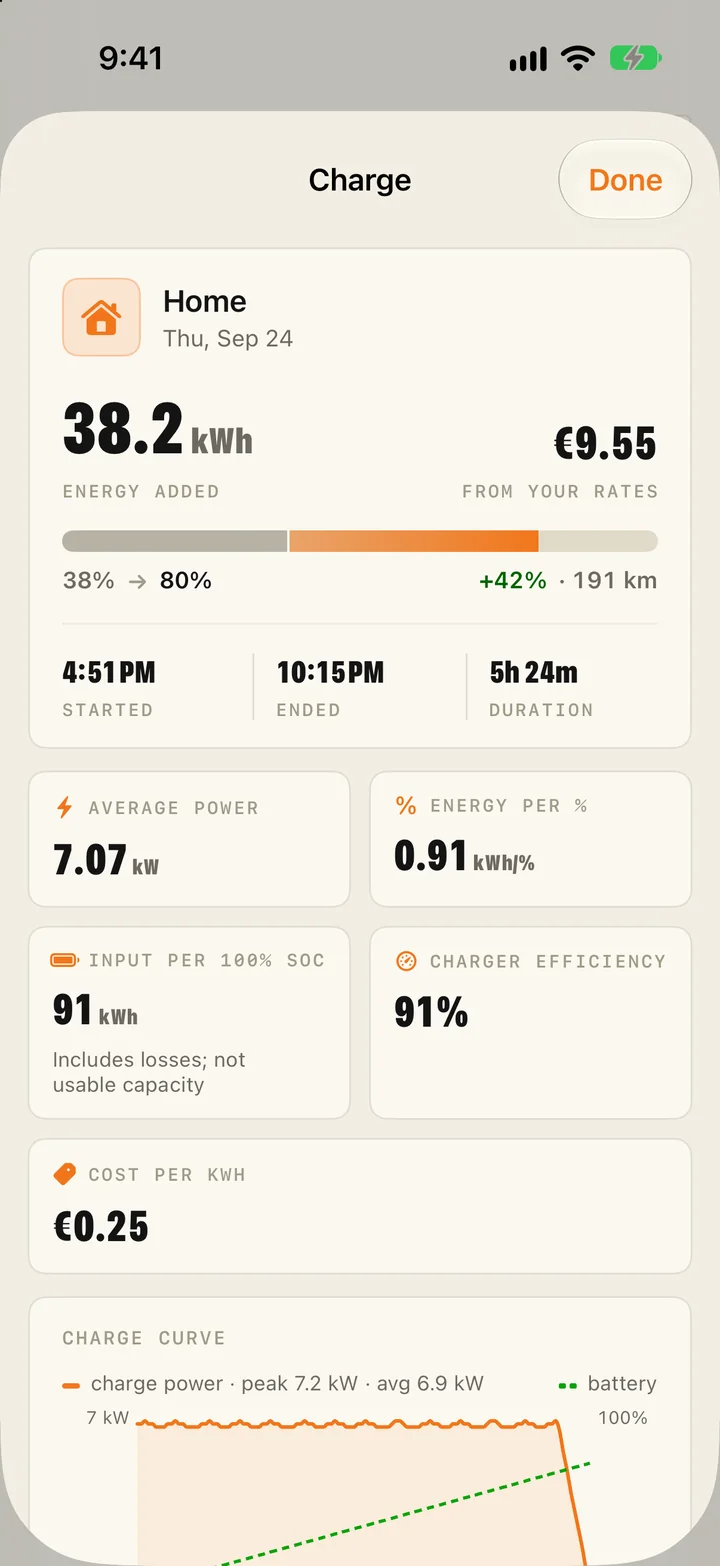
Every charge, priced and explained.
Sessions, costs, and the losses in between — including the ones that happen while the car just sits there.
- Charger efficiency per session — wall kWh in against pack kWh gained.
- Price per kWh from your own home and DC rates, in any of 60 currencies; Tesla's Supercharger bills converted automatically.
- AC and DC split, energy per session, and the charge curve of every session.
- Stationary drain — what the pack lost standing still, asleep versus awake, split by consumer: climate, Sentry, computer.
- Battery health measured from real charges, against every pack Tesla ever shipped.

Drives
Every drive, kept and replayed.
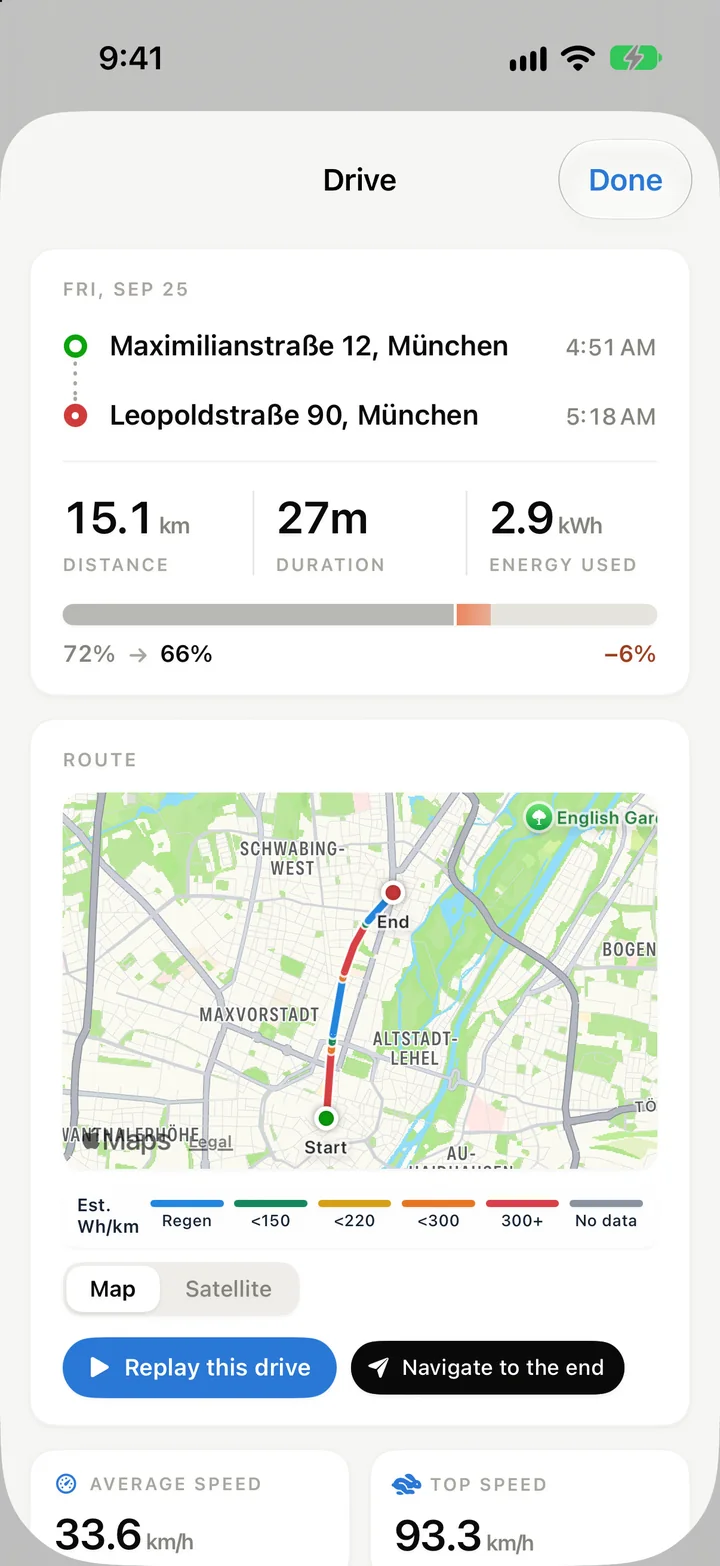
Each trip becomes a row you can open: the route, the numbers, and what it cost the pack.
- Per-drive averages — battery, outside and inside temperature, average and top speed.
- Wh/km, energy used, average power, and the peaks: max power and max regen.
- Replay the route with kWh used along the way; navigate to where it ended.
- Real addresses for the start and end — or the places you name yourself.

Diagnosis
A health check that never ends.
Streaming cars report the pack from the inside. WattLoft turns it into verdicts you can read at a glance.
- Thermal map — motors, pack and coolest module on a top-down car, coloured cold to hot.
- Battery cells — brick spread, strongest and weakest brick, isolation resistance, module temperatures.
- 30-day trends for pack temperature, isolation, cell balance and tyre pressures; a tyre map against the cold reference.
- Alerts timeline, since-last-week, battery habits, and every current alert with an Analyze button.
- The analyst is optional — an AI model with web research, briefed on that alert and the car's live readings, never on you.


Automations & notifications
Rules that watch while you don't.
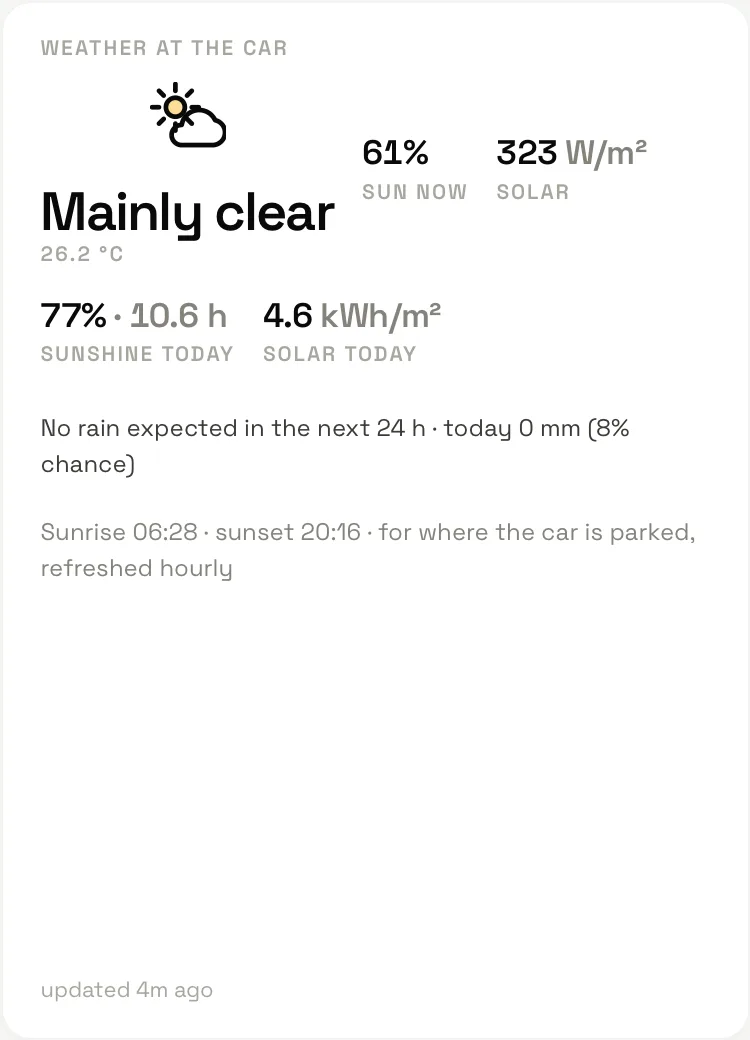
Anything the car reports can start a rule — and so can the weather where it's parked.
- Weather at the car — sun now, solar W/m², rain now, soon or today, sunrise and sunset — all usable in rules.
- “Windows open and rain coming” — the alert you actually wanted.
- Stationary-drain rules — “Something is keeping the car awake”, with what's running.
- Auto-wake before commands, cooldowns so nothing runs twice, geofenced places.
- Variables in messages, picked from chips, with a live preview of the values they'll fill.
- Delivered as a push on your phone, by email, or in a weekly or monthly digest.


Every event lands on the Alerts page; you decide which levels also reach your phone.
Anti Mold · new
The air conditioner, dried after every drive.
Water condenses on the A/C evaporator while you drive. Park with it wet and it grows the mould behind that musty “wet sock” smell. Car makers call the fix an afterblow — WattLoft does it for a Tesla.
- Automatic — after a drive with the A/C on, once everyone has left, the server wakes the car and runs the fan with the compressor off.
- Your settings come back — temperature and climate are restored exactly as they were; it stops early if someone gets in.
- Per car — on or off, how long to wait, how long to run, cabin air or warm air.
- One tap from Controls on the web, Mac or iPhone, or from an automation — “at 23:00, dry the A/C”.
- Told when it starts and finishes, and it shows as Anti Mold · 4 min on the car while it runs.
- Never with someone inside, never below 8 °C outside, never under 15% battery — and it stands down when the car has already run its own fan.


Apple Watch
The car, on your wrist.
A standalone watch app with the essentials — and the same live strip as the phone.
- Now page: the car card — photo, state, battery and range.
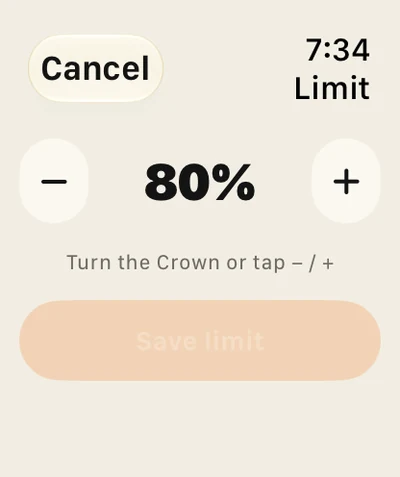
- Charge limit −/+, unlock, climate, start charge, Sentry — the tiles you choose.
- Driving strip at the top of the Now page, in sync with the phone.
- The fleet map, and complications for every watch face.


Four themes
Four looks. One dashboard.
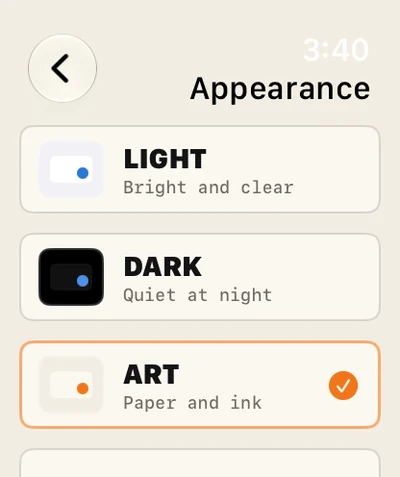
Light and Dark follow your system if you let them. Space puts the car on deep navy with cyan instrument type. Art sets the numbers in poster type on warm paper.
- The same theme on the web, the Mac, the iPhone and the Watch.
- Auto follows the system; pick one to pin it.


Live Activities & widgets
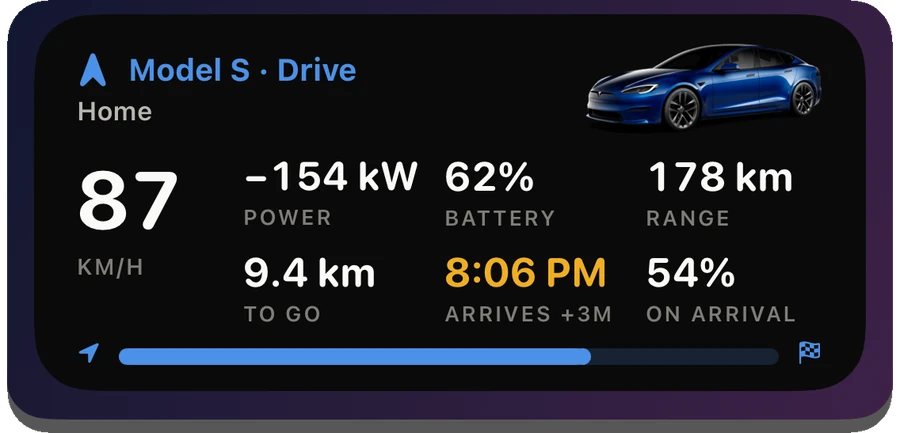
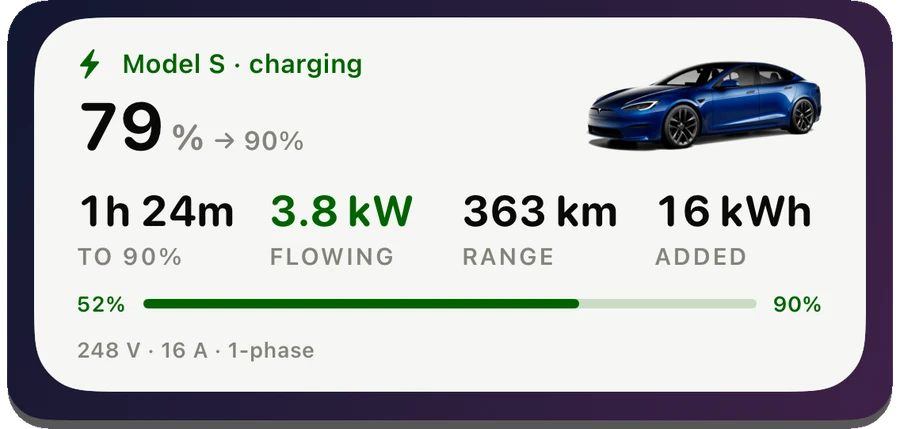
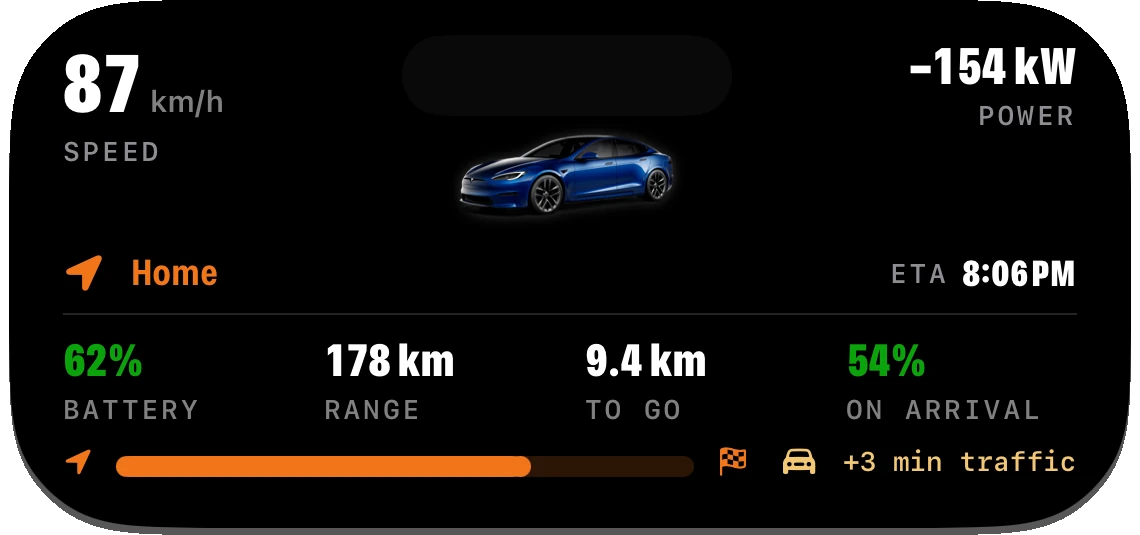
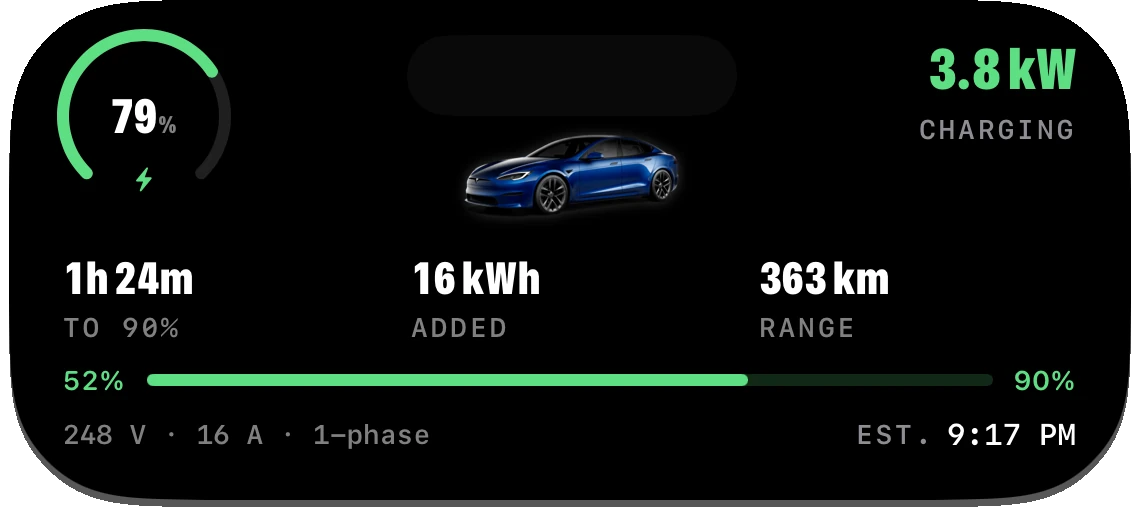
On the Lock Screen, without opening anything.
A drive or a charge becomes a Live Activity: on the Lock Screen and in the Dynamic Island.
- Driving — speed, power, destination and ETA, battery on arrival.
- Charging — supply voltage, kW flowing, time to limit, energy added, range.
- Your car’s photo appears when you expand the Dynamic Island.
- Widgets for battery, charging, drive and range, and one-tap controls.
- Watch complications for every face, with a per-slot car picker.
Native apps.
The same dashboard in your dock and your pocket — widgets, notifications and all.
WattLoft for Mac
The dashboard, the map, the driving HUD, Anti Mold and home-screen widgets. Signed & notarized by Apple.
Download for macOS macOS 14 or newer · Apple silicon & Intel · notarized by Apple New in 1.8.50: the dashboard’s Customize sheet matches the web, in your theme. Since 1.8.44: Import & export — bring your Tessie history in, or take everything out as one zip.WattLoft for iPhone & Apple Watch
Live Activities, Lock Screen widgets, Home Screen quick actions, background alerts, the driving HUD — plus a standalone watch app with complications for every face.
Coming soon App Store release in preparation
WattLoft for Homey
Every car as a Homey device — 74 capabilities and 113 Flow cards, live from your WattLoft account. Fields carry their units, so a Flow reads km or miles, °C or °F, exactly as you set them. One command installs it.
Install on Homey or download the app zip Homey Pro & self-hosted · installs with Athom's official CLIStreaming, polling & data
Everything the car knows, kept.
Cars on Tesla's Fleet Telemetry push their own readings the moment they change; the rest are polled gently, and nothing ever wakes a sleeping car.
- Streaming — speed, pack volts and amps and motor currents every second when the car is set up for it.
- Polling fallback that stands down while a stream is fresh and never wakes the car to read it.
- Data explorer — every field the car reports, searchable, with its history.
- Graphs — any fields side by side, a linked cursor, and the car's online/asleep/offline timeline.
- Storage floors keep history fast: fine detail in drives (5 s), less while charging (30 s), least while parked (60 s).


Up and running in minutes.
No hardware, no setup, nothing to install — your account is the whole installation.
Create your account
One email, one password, and your dashboard exists — at connect.wattloft.com, ready for its first car.
Connect your Tesla
You sign in on Tesla's own page and approve the virtual key from the guided setup. WattLoft never sees your Tesla password.
Just drive
History accumulates by itself. Come back to graphs, costs, battery trends and a searchable log of everything — on any of your devices.
Your car's data works for you — and nobody else. WattLoft talks straight to Tesla and keeps your history in your account, full stop. No analytics trackers, no data brokers, no reselling, nothing between you and your car but Tesla's own API — and if you leave, your data goes with you.
Built properly.
The parts you don't see, done the way you'd want them done.
Streams, not polls
Cars on Tesla's Fleet Telemetry push data the moment it changes — your dashboard moves with the car, second by second.
Gentle on the car
Nothing ever wakes your Tesla just to read it — a sleeping car stays asleep, so WattLoft never causes vampire drain.
Tesla's own front door
Sign-in happens on Tesla's page, commands travel Tesla's signed command protocol. Your Tesla password is never seen, never stored.
Real battery science
Capacity measured from your actual charging sessions against a database of every pack Tesla ever shipped — not a guess from range.
Everything encrypted
TLS on every connection, mutual TLS from the cars, sign-ins locked down against brute force.
Yours to share
Family logins, view-only or full-control shares, live links for anyone — you decide who sees which car.
Questions, answered.
What does it cost?
Can I try it before connecting my car?
Is my Tesla password stored anywhere?
Will it drain my battery?
Which devices does it run on?
Can my family use it too?
Can I delete my data?
What is Anti Mold?
Is this affiliated with Tesla?
Your Tesla has a lot to say.
Two minutes to sign up — the history builds itself from there.